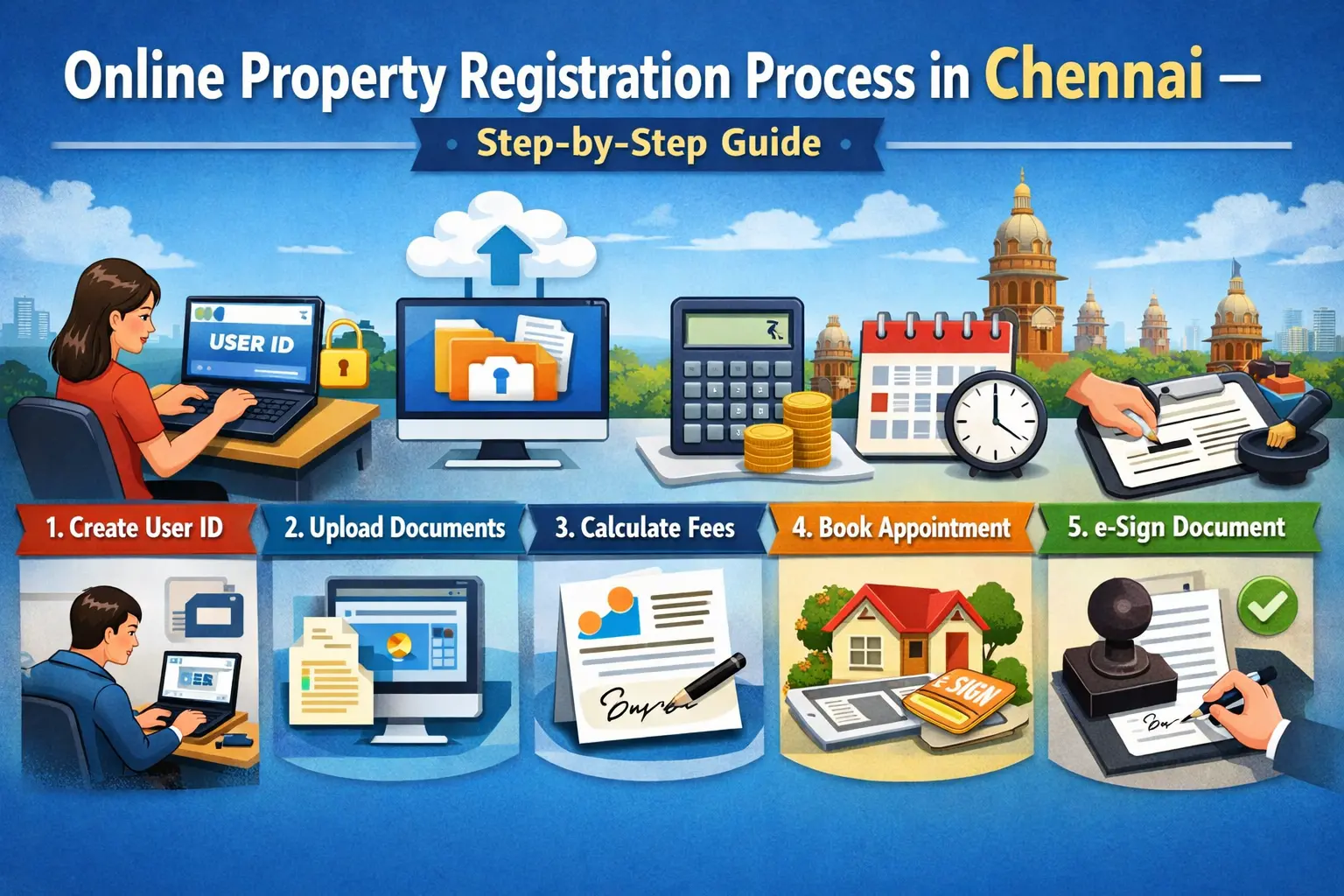
Property registration in Chennai is managed by the Registration Department of Tamil Nadu under the Government of Tamil Nadu. Today most of the preparation can be completed online through the official portal TNREGINET, while the final biometric verification and document signing usually happen at the Sub-Registrar Office.
1. Verify Property Documents Before Registration
Before starting the online process, verify that the property has clear ownership.
Important documents to check include:
- Parent document (previous sale deed)
- Patta or Chitta
- Encumbrance Certificate (EC)
- Approved building plan (for apartments)
- Property tax receipts
- Identity proof of buyer and seller
You can check Encumbrance Certificates online through the TNREGINET portal.This step ensures that the property has no legal disputes, loans, or pending claims.
2. Create an Account on the TNREGINET Portal
Visit the official portal of TNREGINET.
Steps to register:
- Open the TNREGINET website
- Click User Registration
- Enter:
- Name
- Mobile number
- Email ID
- Address
- ID proof details
- Create username and password
- Verify using OTP
After verification, your account becomes active.
3. Prepare the Sale Deed Online
Once logged in:
- Select Document Preparation
- Choose Sale Deed Registration
- Fill property details such as:
- Property type
- Survey number
- Area / extent
- Location
- Guideline value
The portal automatically calculates stamp duty and registration charges based on the government guideline value.
4. Check Guideline Value of the Property
Guideline value determines the minimum price for property registration.
You can check this online through:
- Street name
- Survey number
- Village / zone
Guideline values are set by the Government of Tamil Nadu. If the actual sale price is higher than the guideline value, the higher value will be used for tax calculation.
5. Upload Required Documents
During document preparation, you must upload scanned copies of:
- Buyer ID proof (Aadhar, PAN, Passport etc.)
- Seller ID proof
- Property documents
- Building approval (if applicable)
- Power of Attorney (if applicable)
Files must be clear and properly scanned.
6. Calculate Stamp Duty and Registration Fees
In Tamil Nadu, property registration costs typically include:
- Stamp Duty
- Registration Fee
- Transfer charges
As of current rules:
- Stamp duty – about 7% of property value
- Registration fee – about 4%
- These rates are regulated by the Government of Tamil Nadu.
The portal automatically calculates the payable amount.
7. Pay Stamp Duty Online
Payments can be made online through the portal using:
- Net banking
- Debit card
- Online banking gateways
After payment, you will receive:
- E-stamp receipt
- Payment confirmation number
Keep these for the registration appointment.
Also Read: Stamp Duty in Chennai When Buying Property
8. Book Appointment at Sub-Registrar Office
Property registration requires biometric verification.
Steps:
- Choose Book Appointment
- Select the Sub-Registrar Office based on property location
- Select date and time slot
- Confirm booking
You will receive an appointment slip.
9. Visit the Sub-Registrar Office
On the appointment day:
Buyer, seller, and witnesses must visit the office.
Carry:
- Original documents
- Payment receipt
- Identity proofs
- Two witnesses with ID proof
At the office:
- Documents are verified
- Biometric fingerprints taken
- Photograph captured
- Digital signatures recorded
The sub-registrar approves the registration.
10. Receive Registered Sale Deed
After successful registration:
- Document number is generated
- Digital record is stored online
- Registered document can be downloaded later from TNREGINET
The physical copy may also be collected from the office.
Time Required for Property Registration
Typical timeline:
- Document preparation – 1 to 2 days
- Online submission – few hours
- Appointment waiting – 1 to 5 days
- Final registration – same day at office
Overall process usually takes 3 to 7 days.
Important Documents Required
Buyer documents
- Aadhaar card
- PAN card
- Address proof
- Passport size photos
Seller documents
- Identity proof
- Previous sale deed
- Patta / ownership document
Property documents
- Encumbrance certificate
- Layout approval
- Building plan (if applicable)
Tips for Smooth Property Registration
Always verify the property EC for at least 30 years of history.
- Check whether the property has a bank loan or legal dispute.
- Ensure the seller is the actual legal owner.
- Cross-verify survey number and boundaries.
Hire a property lawyer or document writer if needed.
Frequently Asked Questions (FAQs)
1. Can property registration in Chennai be done completely online?
No. Document preparation and payment can be done online, but final registration requires physical presence at the Sub-Registrar Office for biometric verification.
2. What is the stamp duty for property registration in Chennai?
Currently the stamp duty is 7% of the property value, and registration charges are 4%.
3. What is an Encumbrance Certificate?
An Encumbrance Certificate (EC) shows whether the property has loans, mortgages, or legal liabilities.
It is a mandatory document before buying property.
4. How many witnesses are required for property registration?
At least two witnesses with valid ID proof must be present during registration.
5. Can NRIs register property in Chennai?
Yes. Non-resident Indians can buy property in Chennai, but if they cannot attend in person, they must provide power of attorney.
6. How can I download the registered document?
After registration, you can log in to the TNREGINET portal and download the digital copy using the document number.
7. What happens if the sale value is lower than the guideline value?
Registration will be calculated based on the guideline value, not the lower sale value.
8. Is PAN mandatory for property registration?
Yes. PAN is required for transactions above Rs10 lakh under Indian property laws.